Posts

7 Major Benefits of Cloud Computing for Small Businesses:

Image
7 Major Benefits of Cloud Computing for Small Businesses: Cloud computing sounds like a good idea to the small business. Some important features provided by cloud computing are listed below. Pay as You go Model: No need to pay before we use it. But, if we choose the Physical server we need to invest more on that. We only will be pay what we will be used (Storage, Services, etc.) No need of Tech team support : The special Technical team for maintaining their services and resources are not needed. Obviously it reduces the cost of pay for employees. Upgrade and downgrade will be easy: Scale up and scale down will be easy in Cloud computing. As per the need Auto-scaling helps us to upgrade the system automatically when the user has established the connection more at a particular time. We can downgrade the system as well. No maintenance need more: The cloud service provider will handle the service and maintain all the problems under the cloud computing. Low Initial investme...

Six reasons why you need an email domain for business email?

Image
  First, let's understand what is the domain name? A domain name is the name of the website. This is how people can identify you or your business via the internet. Example google.com, aws.com, kovai.edu etc.. Assume, you have a website for your sales business, then people can see you over the internet. How they can make contact with you, if they will need to buy from your store. Here we require an email for contact. Why should we use a professional email domain for business? An email we are using to send business emails has a significant impact on your business recognition and reputation. Before that let's understand what is free email. Services that are provided by email clients freely such as google, yahoo, etc. We can send and receive the mails using this mail id and also they provide some space limit to store our emails. Here there are 6 reasons listed why the business needs a professional email domain. 1.Dedicated communication channel: Dedicated communication...

How to Change Your Domain Name Without Losing Traffic?

Image
How to Change Your Domain Name Without Losing Traffic To avoid the traffic while change your domain by following the below steps: 1) Backup your site IF you wish to move to a new domain, there are more errors. The best way to avoid such a disaster, to backup the existing account. Make sure you have a complete and functional backup of your files and database before making any modifications for your new domain. If you have a WordPress site, there is an internal plugin which helps to migrate your website to a new domain. 2) Keep same structure as much as possible: Switching domains is not an easy thing, so keep it as much the same as the old one. To help Google understand the relationship between the old and new pages and ease the transition, keep URL structures the same as the old one. Do not change the CMS and keep the website page content and design the same as the old one. During the migration some technical errors may occur, such as broken internal or redirect chain links can be fixe...

Shared VS Managed WordPress Hosting

Image
  Shared VS Managed WordPress Hosting As a beginner, you are able to handle the technical issues of your website and you can consider shared hosting. It will provide the features you need for a budget-friendly price. If you need the support to run your website without any issues, you can consider managed web hosting. It offers several benefits that may tip the scales in its favor and make it worth the extra cost. Managed WordPress Hosting Managed WordPress hosting reduces the amount of work you need to do for your site. Also, the web hosting company provides additional services/support for your website such as hardware and software setup and configuration, hardware replacement, patching, technical support, updating and monitoring, maintenance. With managed hosting, the provider standardizes applications, hardware and operating systems by day-to-day management. There are several benefits to managed hosting, such as:    Scalability       Security ...

Shared Hosting and Tips to Keep it Secure:

Image
Shared Hosting and Tips to Keep it Secure Shared Hosting is a type of web hosting  that allows to share the resources of a single physical server with multiple websites.  Each website receives a limited share of resources issued by its hosting server. The availability of resources will differs from each of these websites based on the purchased plan. If you buy higher plan of shared hosting, you get more resources of a server. 1.Install  Security Plugin A WordPress security plugin will put up a strong defense against hackers and any malicious activity on your site. If a hacker on your shared hosting is trying to get the access to your website or execute malicious commands, the security plugin should detect it and send the alert to you. 2.Review your Shared Host Before buying a shared hosting, We suggest comparing different hosting providers and ensure that the security measures they provide at their server end. However, you can find the best web hosting via review of the o...

The Benefits of Using Managed WordPress as a Blogger

Image
  The Benefits of Using Managed WordPress as a Blogger Managed WordPress. Managed WordPress hosting is nothing but someone manages your WordPress website for you, unlike shared hosting where you’re sharing your server with numerous other website’s worldwide. With Managed WordPress hosting, you get all the help you wish to create the website, and the support will help focus solely on you.  Benefits of Using Managed WordPress Hosting as a Blogger: While comparing the Managed WordPress with shared hosting plan, the Managed WordPress hosting is usually more expensive. But as compare the difference in performance and security then the Managed WordPress is worth it. The benefits are 1. Speed & Reliability 2. Automatic Backups & Updates 3. Free Staging Site 4. Prevents Common Security & Speed Problems 5. Ease of use 1. Speed & Reliability The key to growing as a blogger are High SEO rankings. The important ranking factor for Google is site speed. The SEO benefits fas...

7 Tasks to Consider While Migrating Website to a New Host:

Image
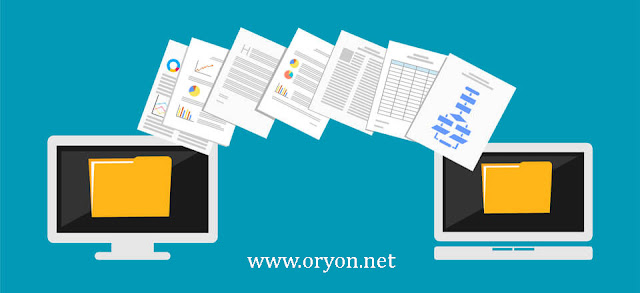
    While migrate your website into a new host , it is crucial for you to do it right. During the migration, one wrong move may result in a significant loss in revenue and traffic. These could lose for weeks or even months before your website starts receiving the normal traffic. Here is a checklist of seven tasks that you should consider while migrating your website into a new host. 1.Create a backup of your website. When you plan to migrate the website into a new host there are many risks involved. It is necessary to take a backup of everything while migrating a website from one web host to another. You can download all the data of your website as a document and upload it to cloud servers like Google, OneDrive, etc. If any technical error happens during the migration this backup would help to restore your website. 2.Be Prepared & calculated the Risks . As an owner, it is essential to calculate the risks and plan for any unexpected situations. Website migration is not an e...